



Skip to content
Design partners are onboarding for winter 2026Learn more
Sign in

The operationalbackbone,made visible.

A monochrome-first identity for operational intelligence, built to hold across product, documentation, and financial operating surfaces.

Download assets
Principles

Five operating commitments

The operating logic behind every Claura surface: quiet by default, precise when action is required.

Operational calm

Quiet by default. Attention only when it matters.

Invisible until needed

Infrastructure stays below the surface until a decision is due.

Signal over noise

Every visible element must earn its place.

Infrastructure-grade trust

Predictable behavior is part of the product.

Monochrome discipline

Neutral systems. Violet only where intelligence is active.

Primary direction

One mark, one idea

Steps is the only approved direction. The rest of the identity system exists to make this mark easy to choose, reproduce, export, scale, and deploy.

Approved identity direction

Three blocks, one continuous form.

Three blocks joined corner to corner by soft curves: separate bodies of financial context held as a single structure. The raised block steps up between a shorter block and a square, so the form comes down further than it rose. Every variant below is a production adaptation of this single drawing.

PrimaryMonochrome-safeFavicon-ready
Primary mark introduction

Steps mark

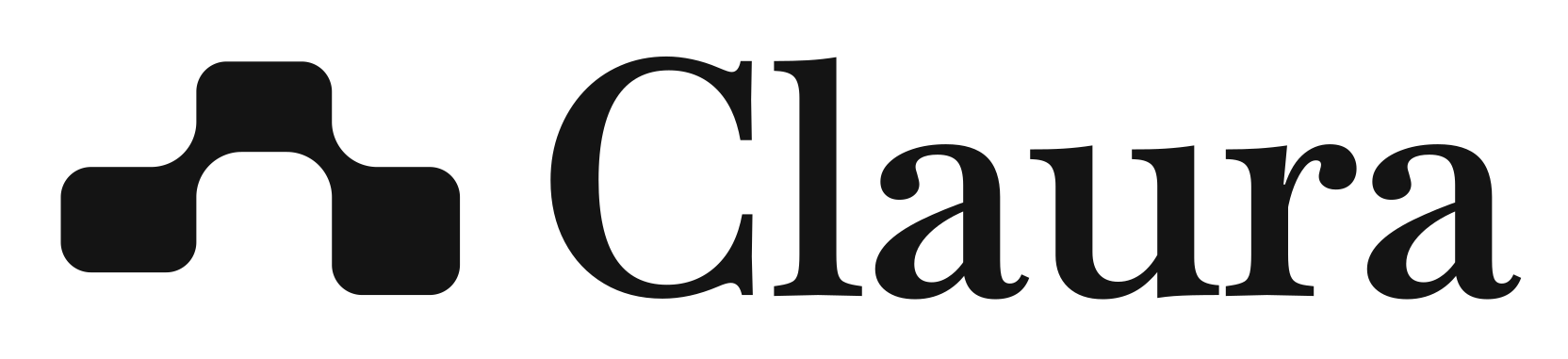
Steps is the approved primary mark. It is drawn for black and white first, holds at 16px, and sits beside a Baskervville wordmark that shares its weight.

Approved production mark
Primary export
claura-symbol-primary-light.svg
Default surface
White and Paper
Minimum primary
32px digital
Small-cut switch
16–31px
Clear space
X = raised block height
Accent rule
Violet never required
Download primary SVG

Construction

Three blocks on an 8-unit grid, joined corner to corner. Edges line up exactly at both joins.

Drawing
424 x 248 units
Blocks
144 x 112 · 144 x 96 · 136 x 136
Outer corners
r 32
Joins
r 48
Grid
8 units
Small cut
r 28 · joins r 56

Operational rules

Approved
Fixed geometry
Accent discipline
Variant switch
Variant system

Approved logo matrix

Eight production variants cover the environments Claura actually ships into. Each variant has a defined surface, constraint set, and export path.

Primary

Approved default
SVG + PNG 512
Use
Default mark for the website, documents, decks, invoices and light product panels.
Environment
White and Paper surfaces: #FFFFFF, #F6F4EF.
Rules
Claura Black, one flat colour. Never recolour a single block or change the proportions.
Downloadclaura-symbol-primary-light.svg

Monochrome

Approved utility
SVG pack
Use
Single-colour print, embossing, partner lockups, stamps and legal documents.
Environment
Any production context that rejects colour.
Rules
Pure black or pure white only. No tints, outlines or effects.
Downloadclaura-symbol-mono-dark.svg

Reversed

Approved dark
SVG + PNG 512
Use
Product rail, dark bands, the footer, dark slides and launch screens.
Environment
Claura Black #141414 and near-black surfaces with at least AA contrast.
Rules
White only. The white geometry is the same drawing; do not thin or embolden it.
Downloadclaura-symbol-primary.svg

Accent

Approved rare
SVG
Use
Rare moments where the container already carries Claura violet: launch tiles, event slides.
Environment
Solid #6B5BFF only. Use sparingly.
Rules
White symbol only. Never place a black or violet symbol on violet.
Downloadclaura-symbol-accent.svg

Small cut

Approved compact
SVG
Use
Dense tables, sidebar footers, avatars in lists and other marks drawn below 32px.
Environment
Any surface where the symbol renders between 16px and 32px wide.
Rules
Fuller joins keep the necks open at small sizes. Use the primary drawing from 32px up.
Downloadclaura-favicon.svg
Claura

Favicon-safe

Approved 16px
ICO + PNG + SVG
Use
Browser tabs, bookmarks, pinned tabs, tiny notification affordances.
Environment
16px, 24px, and 32px browser-rendered contexts.
Rules
Small cut, edge to edge. The SVG switches to white in dark browser themes.
Downloadfavicon.svg

Social-safe

Approved social
SVG + PNG pack
Use
LinkedIn avatar, OG images, social cards, share previews, and profile fields.
Environment
Cropped square or wide social formats with centered safe area.
Rules
Keep 18% inner safe area. Avoid text over the mark.
Downloadsocial-linkedin.svg

App-tile-safe

Approved app
SVG + PNG pack
Use
Mobile app icons, PWA icons, macOS tiles, and internal launcher grids.
Environment
Rounded or square tiles from 192px to 1024px.
Rules
Paper symbol on Claura Black, centred at 62% of the tile width. 22.5% corner radius.
Downloadapp-icon-rounded.svg
Usage contexts

Where the identity operates

Surface first, size second, format third. Each context uses the same Steps drawing. Only the colour and the cut adapt to the environment.

Claura
Product chromePrimary · 32px+
Claura
Light documentsPrimary · SVG
partner
Partner / printMonochrome
Clauraapp.claura.io
Browser tabFavicon-safe · 16px
Social avatarSocial-safe
App launchersApp-tile-safe
File exports

Production files

The asset system is deployable by default: individual downloads for implementation and grouped bundles for handoff.

Full identity package

All mark, favicon, app icon, social, email, token, and motion files in one ZIP.

Download full ZIP
Scaling system

Size rules and variant switches

The primary drawing is stable from 32px upward. Below that, switch to the small cut so the joins between blocks stay open.

10pxDo not useFails
12pxFavicon-safeMinimum
16pxFavicon-safeBrowser
24pxSmall cutCompact
32pxPrimarySidebar
48pxPrimaryDashboard
64pxPrimaryApp chrome
96pxPrimaryHero
Favicon12–32px

Use the small cut. The primary joins close up below 32px.

Mobile navigation20–26px tall

Use the horizontal logo. Keep 8px touch-safe padding around it.

Dashboard sidebar28–40px

Primary mark with wordmark allowed when sidebar width exceeds 180px.

Notification badge16–24px

Use favicon-safe or monochrome; avoid full lockups.

App tile192–1024px

Use the app-tile asset: Paper symbol centred at 62% of the tile.

Clear space rules

Spacing that protects recognition

Clear space equals X, the height of the raised block, on every side. The gap between symbol and wordmark is also X. In dense UI, keep the same optical padding inside the component.

X clear spaceX
ApprovedApproved safe area
12px component padding
ClauraOperations
ApprovedUI embedding
invoice queue
RejectImproper spacing
RejectEdge collision
Incorrect usage

Prohibited treatments

The mark earns trust by being repeated unchanged. These are production blockers, not stylistic preferences.

Do not stretch

Correct
Reject

Do not recolour one block

Correct
Reject

Do not use gradients

Correct
Reject

Do not rotate

Correct
Reject

Do not lose contrast

Correct
Reject

Do not overcrowd

Correct
NEW AI FINANCE AUTOMATION PLATFORM
Reject
Product surface

The financial inbox, in context

This is the same editable product preview used on the approved landing page. It demonstrates the actual interface treatment for document rows, status labels, review warnings, and actions.

Northline Studio SL

Financial inbox

Northline Studio
Newest⌄Upload
5 shown · 6 originals · October 2026Demo workspace · 26 Oct, 09:42
INV-2026-0184.pdfOriginal document ···
NORTHLINE SUPPLIES A/SINVOICE
Billed to

Northline Studio ApS
København, Denmark

Invoice no. / date

INV-2026-0184
26 Oct 2026

DescriptionQtyAmount
Office supplies11,359.60
Print materials1390.00
Delivery and handling1200.00
Total excl. VAT
1,949.60
VAT 25%
487.40
Total due
2,437.00
Review required

Extracted EUR 2,544.00 differs from the document total EUR 2,437.00.

Rendered from source filePage 1 of 1
Original file retained
Details
INV-2026-0184.pdf

Northline Supplies · Email

Received 26 Oct 2026 · Northline Studio

Needs review

Inspect the discrepancy.
Wordmark

Claura

The wordmark is Baskervville in title case, drawn as outlined master artwork rather than typed text. Its spacing and kerning are hand-tuned so it sits beside the Steps symbol as one piece.

Claura

Optical refinements

Typeface
Baskervville, title case
Kerning
Tuned C–l, l–a, u–r and r–a pairs
Weight
Optical 620, matched to the symbol's mass
Lockup
Symbol from cap height to baseline, gap = X

System relationship

  • The serif's contrast and the symbol's soft corners share one calm, established voice
  • Logo artwork is always one flat colour, symbol and wordmark together
  • Never retype the wordmark; use the supplied outlined SVG
  • Baskervville Regular sets landing-page H1s; the wordmark artwork is the only tuned version
Claura
Claura
Lockup ruleConstructed symbol + outlined Baskervville wordmark, one flat colour.

Violet is an accent for the brand around the logo, never a part of it. This keeps the identity disciplined in black and white.

Iconography

System icons

Lucide foundation. 24px grid, 1.5px stroke, round joins. Functional, not decorative. They label actions and indicate states.

24 x 24 grid1.5px strokeRound cap + joinInherits color
Size contexts
16pxInline, compact UI, badges
20pxNavigation, actions, buttons
24pxEmpty states, section headers
arrow-right
check
file-text
settings
zap
activity
link
shield
Reconciled
Stroke only, inherits text
Signal active
Violet only for active state
Failed
Semantic color for states
Color

Monochrome first. Violet for signal.

The system is overwhelmingly neutral: Claura Black, white and warm Paper. Violet is a secondary accent for active states and rare brand moments. The logo never needs it.

Claura Black

Logo, headlines, product rail

#141414

White

Reversed logo and main canvas

#FFFFFF

Paper

Warm surface for marketing and print

#F6F4EF

Divider

Borders and dividers

#E5E5E5

Muted

Supporting text

#525252

Violet

Secondary brand accent

#6B5BFF

Violet hover

Interactive accent

#5948F2

Violet wash

Rare focus surface

#EEECFF

Reviewed

Successful review

#166534

Warning

Needs attention

#854D0E

Error

Failed state

#B91C1C

Discipline rule: violet should never exceed roughly 5% of any given screen. If a layout starts to feel violet, it has stopped being Claura.

Typography

Baskervville and Geist for marketing. Calibri for the product.

Claura uses two typographic environments. The marketing site pairs Baskervville Regular H1s with Geist Sans for everything else. The product application uses Calibri throughout for a familiar, practical working experience.

Financial context, kept for every client.
Role
Landing H1
Family
Baskervville Regular
Weight
400
Size
64px / 68px
Tracking
-0.015em
Match every invoice to its evidence.
Role
Marketing subheading
Family
Geist Sans
Weight
600
Size
44px / 50px
Tracking
-0.03em
Ask questions about your financial evidence, inspect the original documents, and prepare the right records for your accountant.
Role
Marketing body
Family
Geist Sans
Weight
400
Size
16px / 26px
Tracking
0
Invoices · October close
Role
Product UI
Family
Calibri
Weight
400 / 600
Size
13–22px
Tracking
0
Spacing

4-pixel base. Powers of intent.

Every spatial decision in product and brand surfaces resolves to a multiple of 4. Custom values break grid alignment and create the kind of micro-inconsistency enterprise buyers learn to distrust.

space.14px
space.28px
space.312px
space.416px
space.624px
space.832px
space.1248px
space.1664px
space.2496px
space.32128px
Small · 4
Control · 10
Surface · 14
Pill · 999
Grid & layout

Spatial framework

The grid defines how Claura pages organize density: navigation stays narrow, primary work areas span wide, and supporting panels attach without drifting.

Grid specifications

Columns
12
Max width
1200px
Gutter
24px
Margin (desktop)
48px
Margin (tablet)
24px
Margin (mobile)
18px

Breakpoints

Desktop
> 980px · 12 columns
Tablet
701–980px · 8 columns
Mobile
< 700px · 1 working column

Desktop uses 12 columns. Tablet compresses to 8. Mobile stacks into one working column with the same spacing rhythm.

12-column field24px gutters48px desktop marginsAnimated resize behavior
Navcols 1-3
Primary work areacols 4-9
Signal panelcols 10-12
Operational tablefull width
Desktop12 columns48px margins
Tablet8 columns24px margins
Mobile1 column18px margins
Accessibility

Compliance is infrastructure

Claura targets WCAG 2.1 AA across all product and marketing surfaces. Accessibility is not a feature: it is a structural requirement of enterprise-grade software.

Contrast ratios

White on Claura Black18.4:1AA
Claura Black on Paper16.8:1AA
Secondary on Claura Black7.1:1AA
Muted on White7.8:1AA
Violet on White4.6:1AA

Requirements

  • All interactive elements must have visible focus states
  • Focus rings use the canonical 2px focus-blue token with visible offset
  • Motion respects prefers-reduced-motion
  • All images carry meaningful alt text or aria-hidden
  • Form inputs have associated labels, never placeholder-only
  • Minimum tap target: 44 x 44px on touch devices
Dark & light

Two surfaces, one system

White and soft-neutral surfaces are the default. Charcoal provides contrast for navigation panels, selected product stories, and the footer. Both use the same typography and components.

Charcoal contrast
Canvas#141414
Surface#262626
Border#525252
Text#FAFAFA
Secondary#A1A1A1
Accent#6B5BFF
Light (default)
Canvas#FFFFFF
Surface#FFFFFF
Border#E5E5E5
Text#0A0A0A
Secondary#525252
Accent#6B5BFF

Violet remains constant across modes. It is the single stable reference point between dark and light surfaces.

Motion

The mark behaves like the product

Motion is reserved for moments of state change, not decoration. All sanctioned behaviors use the same cubic-bezier easing and stay under 1.2 seconds, except the slow signal pulse.

The three blocks rise left to right. Used on first paint and loading completion.

Step reveal

The raised block warms to violet and back. Indicates the system is active.

Signal pulse

The blocks lift in sequence and settle for sync or reconciliation.

Sync

Co-branding

Partnerships and lockups

Equal visual weight. Monochrome Claura mark. Divider between brands. Match optical height, not pixel height.

Correct
Acme Corp
Monochrome mark, divider, equal optical height
Correct
Northwind
Host brand first, Claura second
Incorrect
Acme Corp
No divider. Mark set in a second colour.
Incorrect
PARTNER
Claura mark too small. Unequal visual weight.
partner
32px minimum separation from divider on each side
Components

The same components, everywhere

These examples render the actual shared controls used on the website. The financial-inbox preview above uses the same primitives. Use the canonical tokens instead of recreating their styling.

Buttons

Input

Status labels

Needs reviewReviewedExtraction failed
Communication assets

Email signature builder

Generate a production-safe Claura signature, preview it live, then copy the rich signature or its HTML source into your email client.

Claura
Jonathan Djalo
Founder & CEO · Claura

Live preview — edit the fields above to customize.

Outlook: Copy the signature, then open Settings → Account → Signatures, click inside the editor, and paste.

Gmail: Open Settings → See all settings → General → Signature, then paste.

Apple Mail: Open Mail → Settings → Signatures, select the account, click “+”, then paste.

The website, email, LinkedIn, and Cal.com booking CTA are copied as real hyperlinks.

Production assets

Files ready for use

All production assets are organized by use case. Download individually or reference the paths directly in implementation.

CLAURA · PAPER DESIGN SYSTEMSteps identity · locked 7 November 2026